
EconomSys › Help › Main menu › Address list › Address editor
In the address editor you enter all details of a company or person that are then copied into documents. Open it from the address list with New or Edit.
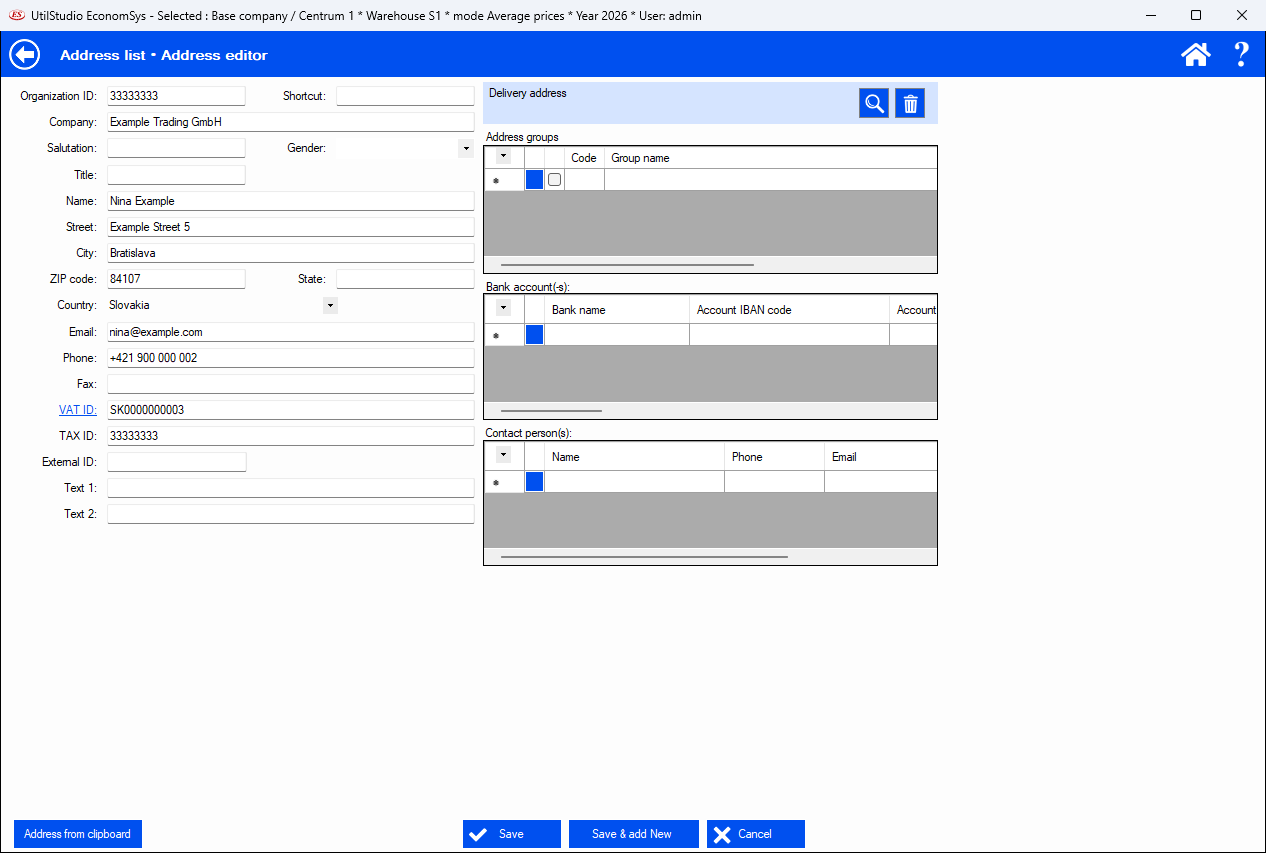
Company ID, shortcut, company, salutation, title, name, street, city, ZIP code, state, country, e-mail, phone, fax, VAT ID, tax ID, external ID and two free text fields. For electronic invoices (EN 16931, Peppol) the country and VAT ID or tax ID must be correct.
Save stores the address, Save & add new stores it and opens an empty form, Cancel discards the changes. Address from clipboard pastes an address that you copied to the Windows clipboard.
← Back to help contents · Need help? Contact us.
Copyright © 2020 UtilStudio, s.r.o. - UtilStudio.com