
EconomSys › Help › Main menu › Business cases
A business case (job order) groups all documents of one deal – e.g. the incoming order, proforma invoice, issued invoice, delivery note and credit note. You see the total price, the amount paid and reserved items at a glance.
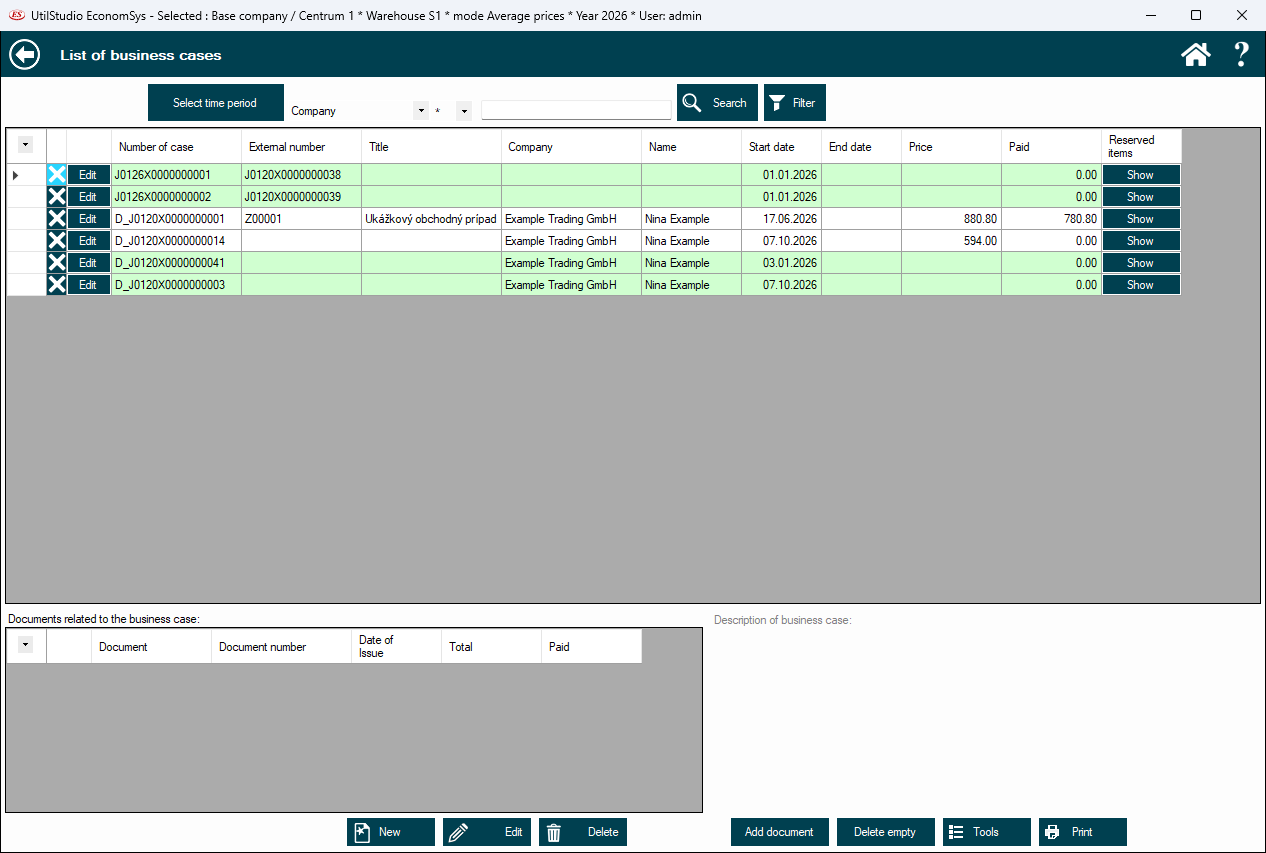
Columns: case number, external number, title, company, name, start and end date, price and paid amount. The Show button in the reserved items column shows the goods reserved for the case.
The lower table lists all documents of the selected case with date, total and payment; Edit opens a document. The description of the case is on the right.
New, Edit, Delete; add a document to the case; delete empty cases; Tools and Print.
← Back to help contents · Need help? Contact us.
Copyright © 2020 UtilStudio, s.r.o. - UtilStudio.com