
EconomSys › Help › Main menu › Inventory – stock items
The Stock items window lists the warehouse cards with their stock levels. Sort items into categories (tree at the top), watch the quantity in stock, reserved quantity and prices, and open the movements of each card.
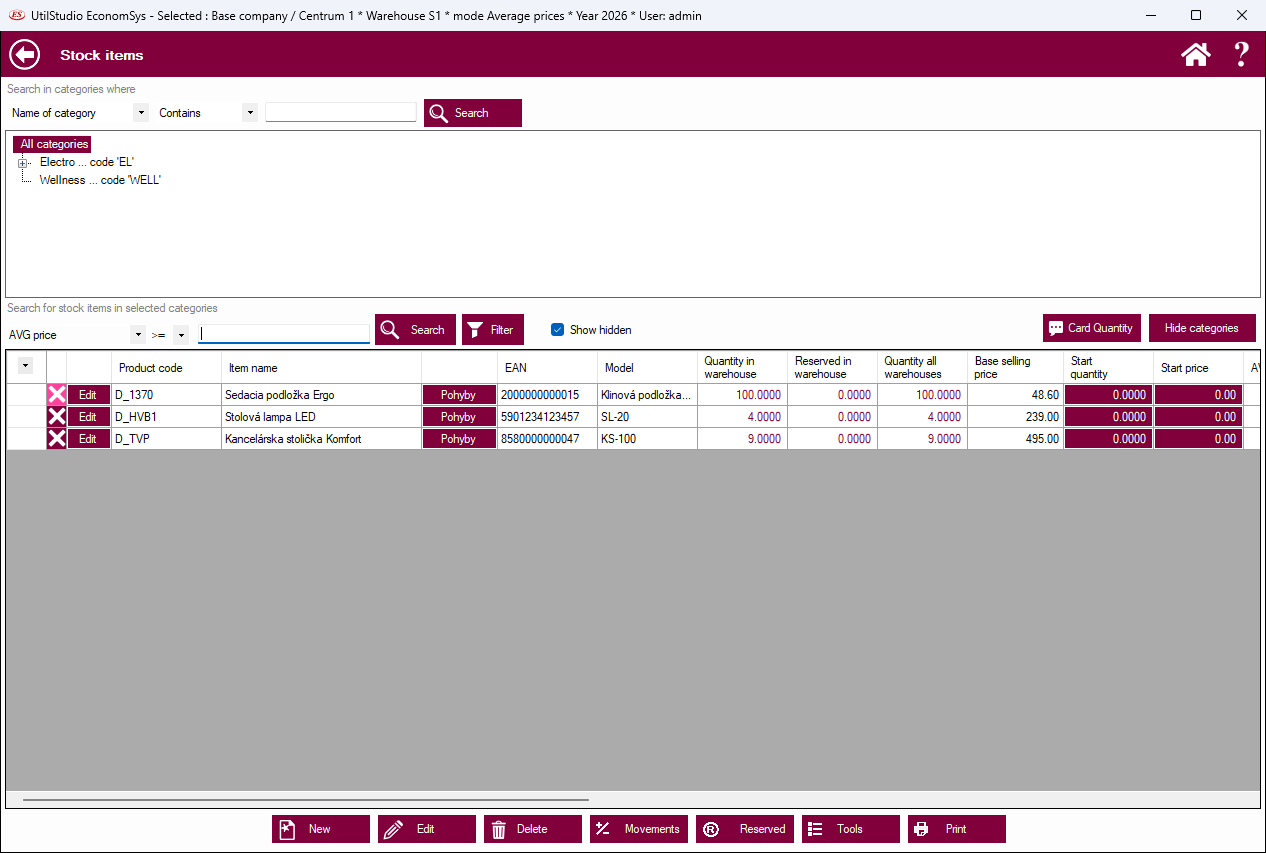
At the top you search categories by name and pick a category in the tree. In the lower part you search items e.g. by name, code or EAN. A check box shows hidden (invisible) cards as well.
Product code, item name, EAN, model, quantity in stock, reserved quantity, quantity in all warehouses, basic sales price, initial quantity and initial price. The Movements button in a row shows the receipts and issues of the card.
New, Edit, Delete – work with cards; Movements of the selected card; Reservations; Tools – warehouse functions; Print.
← Back to help contents · Need help? Contact us.
Copyright © 2020 UtilStudio, s.r.o. - UtilStudio.com